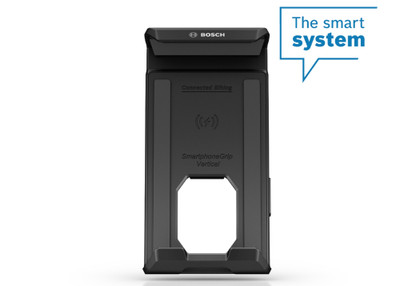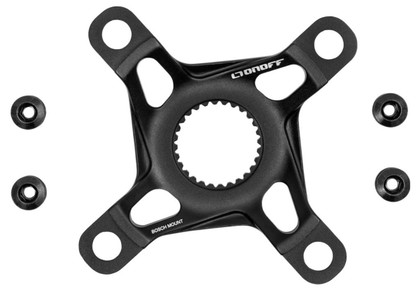


Turn your smartphone into an e-bike Display with this handy mount from Escapa.
Easily turn your smartphone into an e-bike Display: attach the Bosch SmartphoneGrip (BSP3200) to the handlebars, place your smartphone in it, and open the eBike Flow app. While your smartphone charges wirelessly with the SmartphoneGrip, the eBike Flow app reliably guides you to your destination. It shows you all the important riding data, from speed to e-bike battery status and estimated time of arrival.
Safe operation on the road
The eBike Flow app guides you while riding with the LED Remote, which connects to your smartphone via Bluetooth: using the “right” and “left” buttons, for example, you can easily switch between the Ride and Navigation screens without taking your hands off the handlebars. This allows you to ride safely while maintaining full control over the Display and the eBike. The navigation feature reliably and safely guides you to your destination with its clear map display and information on arrival time and distance.
Secure hold
On paved roads or on paved forest and country trails*, the SmartphoneGrip holds your smartphone securely on the handlebars. The innovative, robust mount is suitable for all current smartphones, with or without a case.** Your smartphone’s surface is protected by a rubber coating; the charging port and speaker remain accessible.
*The SmartphoneGrip is not suitable for roads with potholes deeper than 15 cm or for routes with jumps.
**The supported dimensions for smartphones, including camera protrusion and case, are: height: 6.8–13 mm, width: 67–88 mm, length: 123–175 mm. Suitable for smartphones with a total weight of up to 276 g, including the case. Not compatible with flip cases or case-style covers.
Switch quickly between different displays
Full modularity and free choice of displays: you can use your smartphone with the SmartphoneGrip or mount the Kiox 300 on the display mount. The Kiox 300 is suitable for sports use, while your smartphone is the ideal display for more relaxed rides, such as around town.
Charging information
On the left side of the SmartphoneGrip, there is an LED that indicates whether the smartphone is charging and how, using different colors and light patterns. For example, if the LED lights up yellow, the smartphone is charging wirelessly via induction.
Custom positioning
Place the SmartphoneGrip near the stem, on the handlebars, where you have the best view of the Display or where it looks and feels best to you. Depending on where you place the SmartphoneGrip, different Display modes are used.